

Managing your approved inspection station details
If you are an approval holder, you can make changes to the Approved Inspection Station (AIS) business details through ICO. These include:
- email address
- phone number
- including or excluding approved examiners from the AIS.
Update email address or phone number
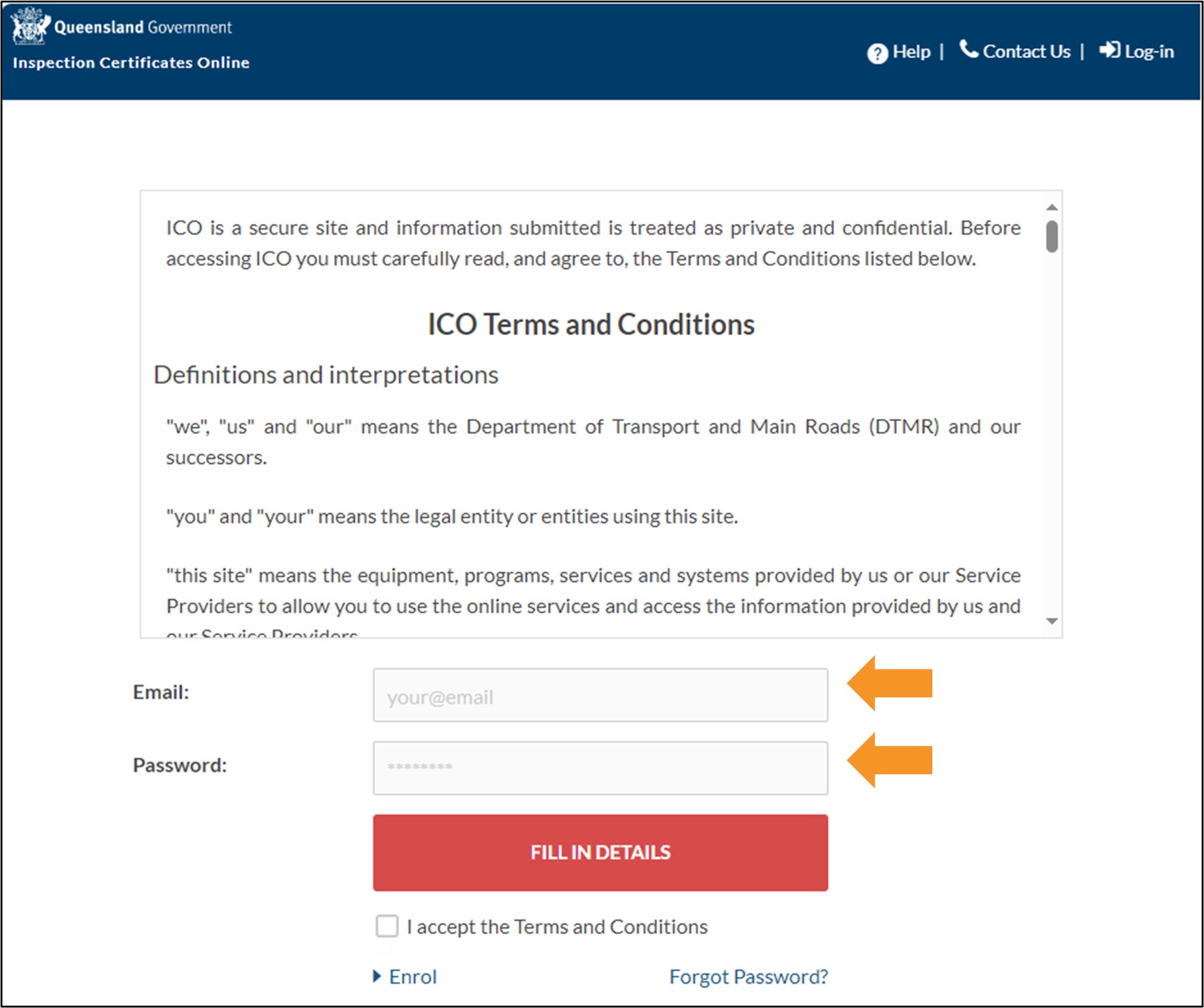
- Log in to ICO with your email and password.
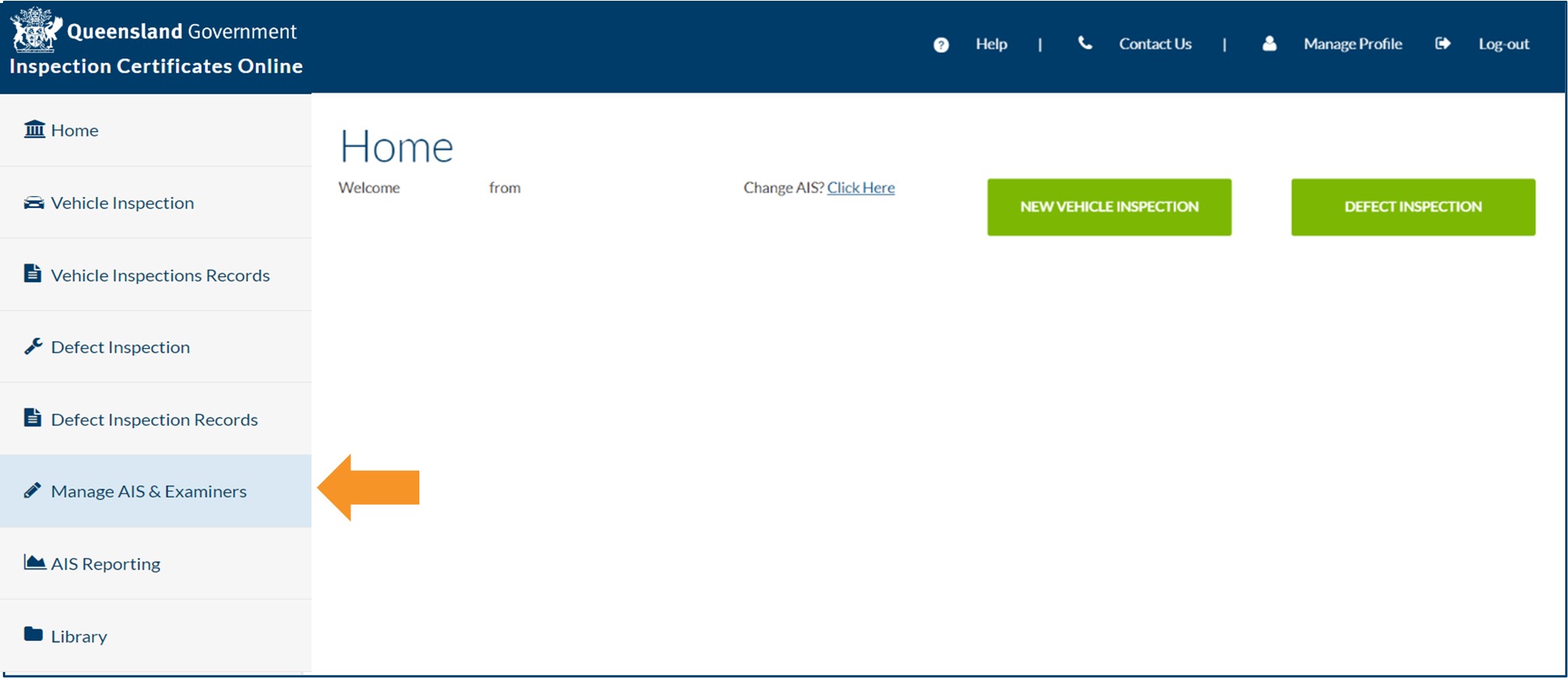
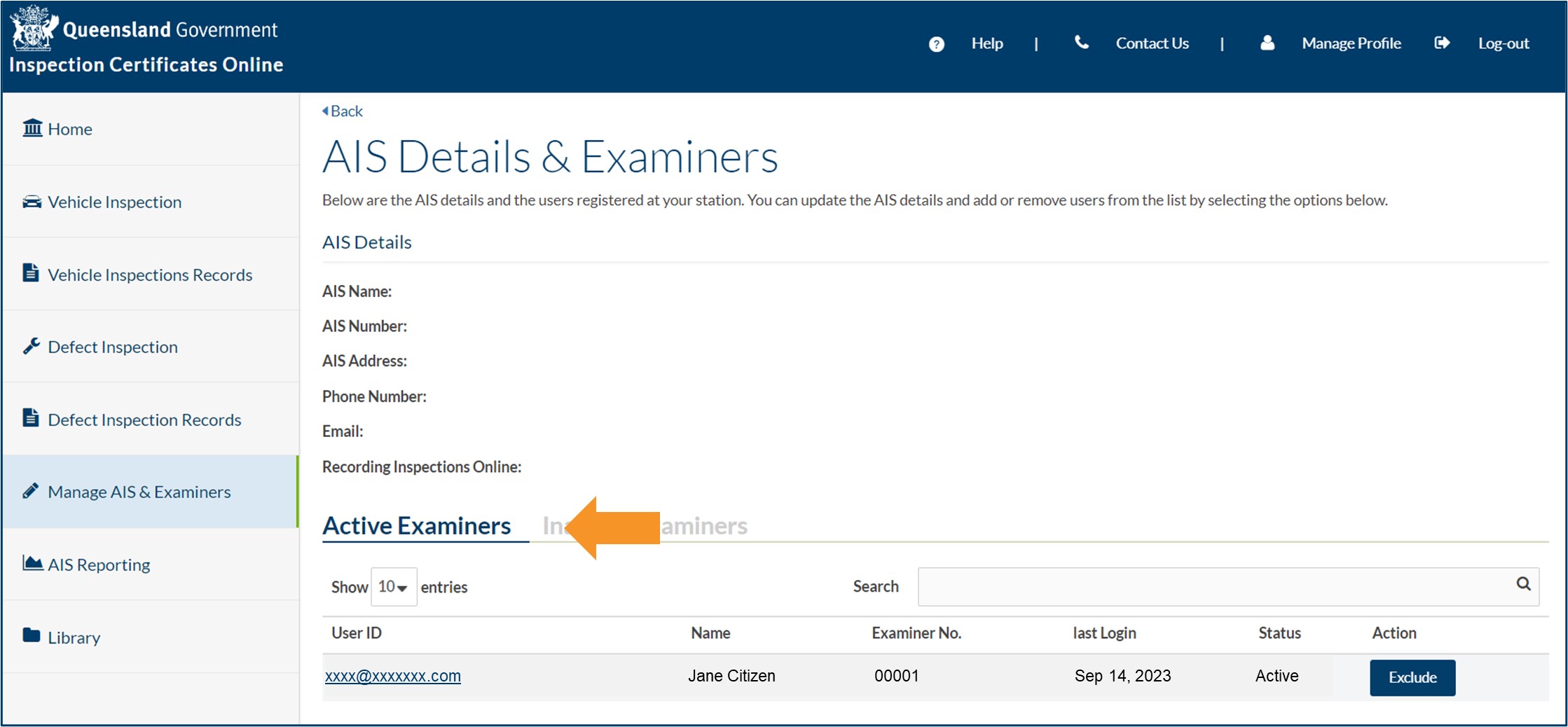
- Click Manage AIS & Examiners from the main menu of the Home screen.
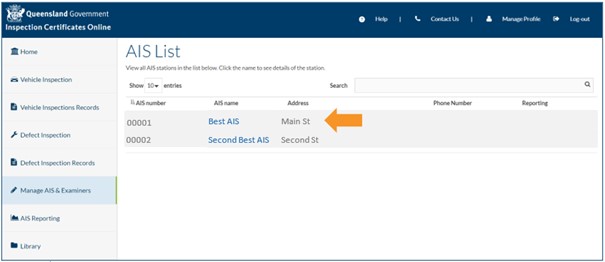
- Click the name of the AIS you want to update. If you are associated with more than one AIS, or an AIS that is multi-listed with other AISs, you will have multiple AISs to select from. Ensure you select the correct AIS.
- To update your AIS email address or phone number, click Update next to your current AIS email address or phone number.
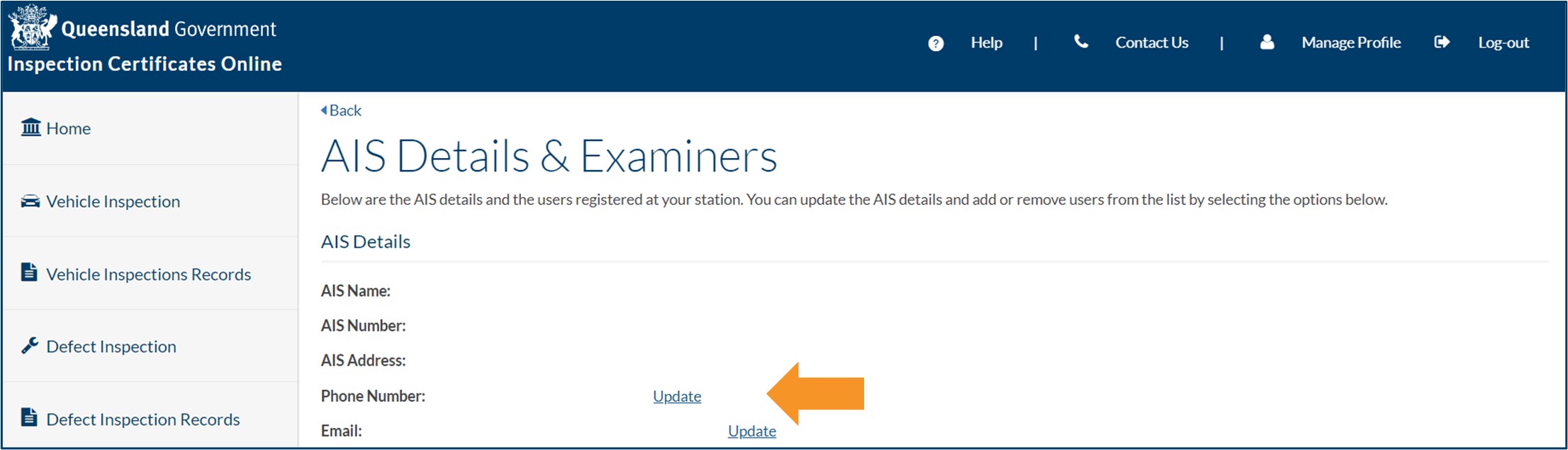
- You can only have one email address for your AIS. This email address will be used by TMR when contacting your AIS.
- The phone number used here will appear in Find an AIS for your AIS (if you have provided consent for your details to be included in Find an AIS). If you have only provided TMR with a mobile phone number, this will be displayed.
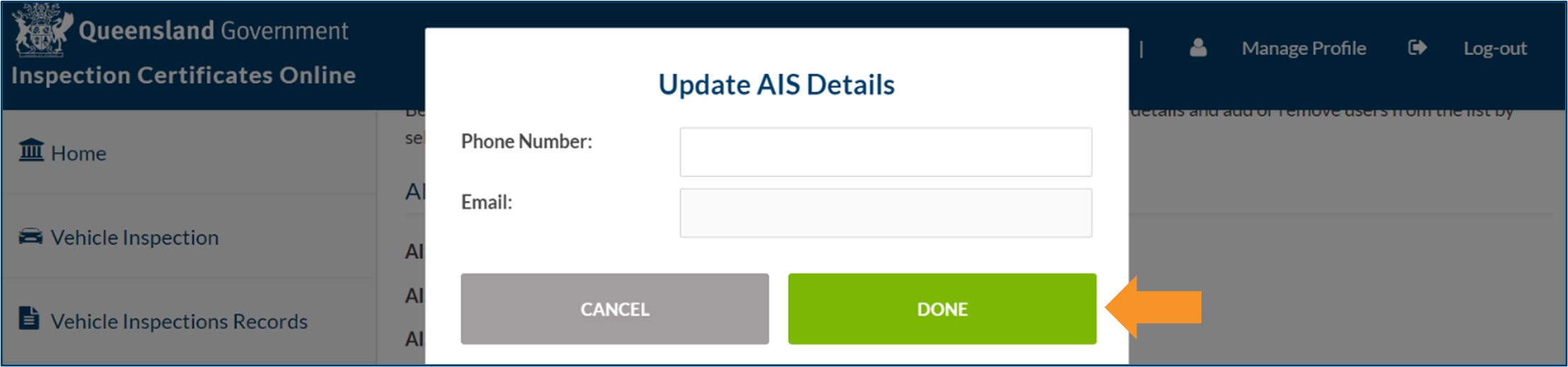
- Enter the new email address and/or new phone number into the Update AIS Details pop-up box and click DONE. TMR’s records will be updated with the new contact details.
Including or excluding approved examiners
Important: Including or excluding an approved examiner in ICO is not the same as notifying TMR that an approved examiner has commenced or ceased working at your AIS. You are still required to notify TMR of any changes.
- Approved examiners who are active in ICO are listed under the Active Examiners heading.
- An approval holder can make an approved examiner inactive in ICO by clicking the Exclude button next to the approved examiner's name. For example, an approval holder may choose to make an approved examiner inactive while they are on leave from work.
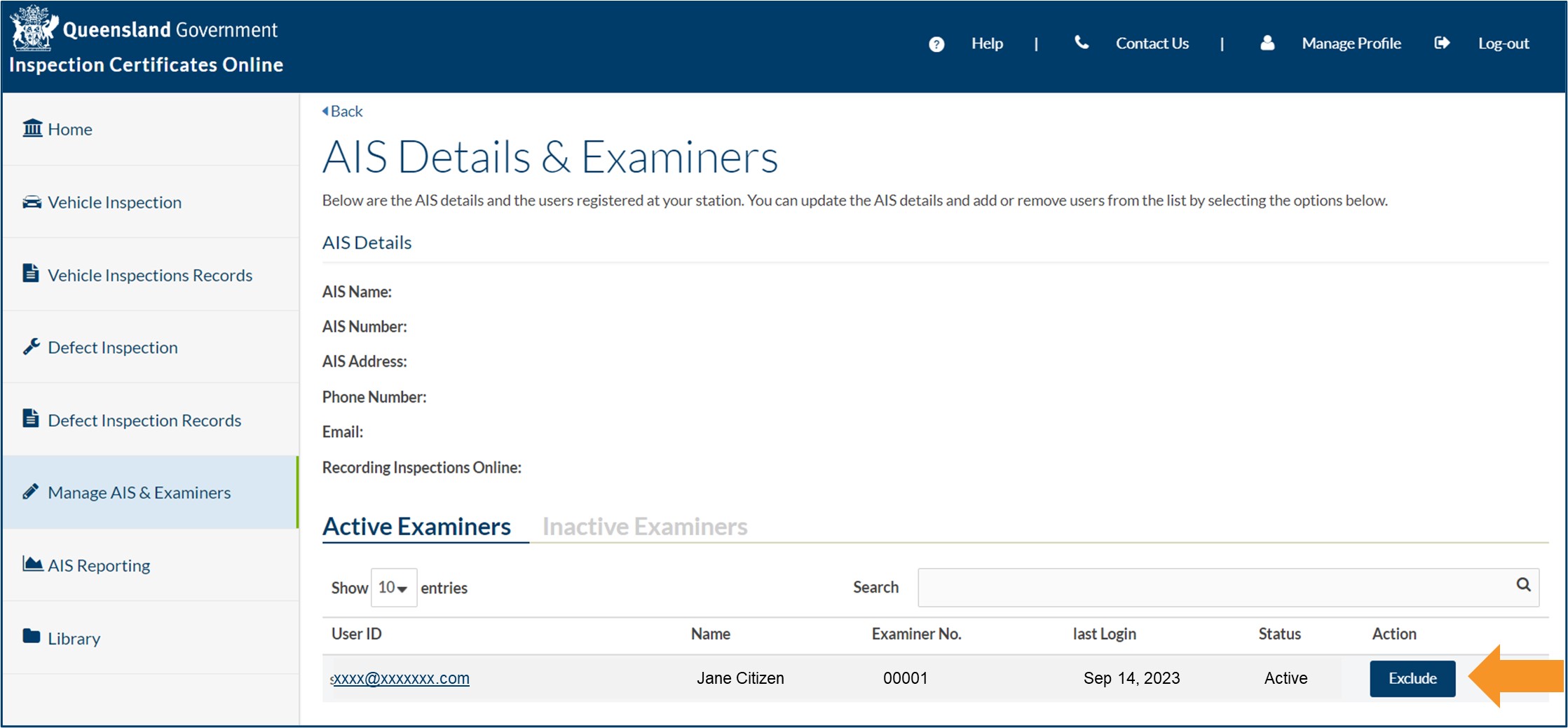
- Approved examiners who are inactive in ICO are listed under the Inactive Examiners heading.

- An approval holder can make an approved examiner active in ICO by clicking the Include button next to the approved examiner's name.

- Last updated
- 23 August 2024
Contact us
If you experience any issues, contact the help desk between 8:30am and 4:30pm, Monday to Friday.
| Email: | [email protected] |
|---|---|
| Phone: | 07 3066 2482 |
| Post: |
ICO Administrator Department of Transport and Main Roads PO Box 673 FORTITUDE VALLEY QLD 4006 |