

Vehicle inspection records
An approval holder can view all inspections conducted at the Approved Inspection Station (AIS) that have been recorded in Inspection Certificates Online (ICO) and can allocate a reinspection to a different approved examiner in the Vehicle Inspection Records screen.
An approved examiner can view all the inspections they have recorded in ICO at that AIS in the Vehicle Inspection Records screen.
All inspection records with a FAIL_FIRST result will automatically close after 14 days if the inspection record has not been finalised.
Access the 'Vehicle Inspection Records' screen
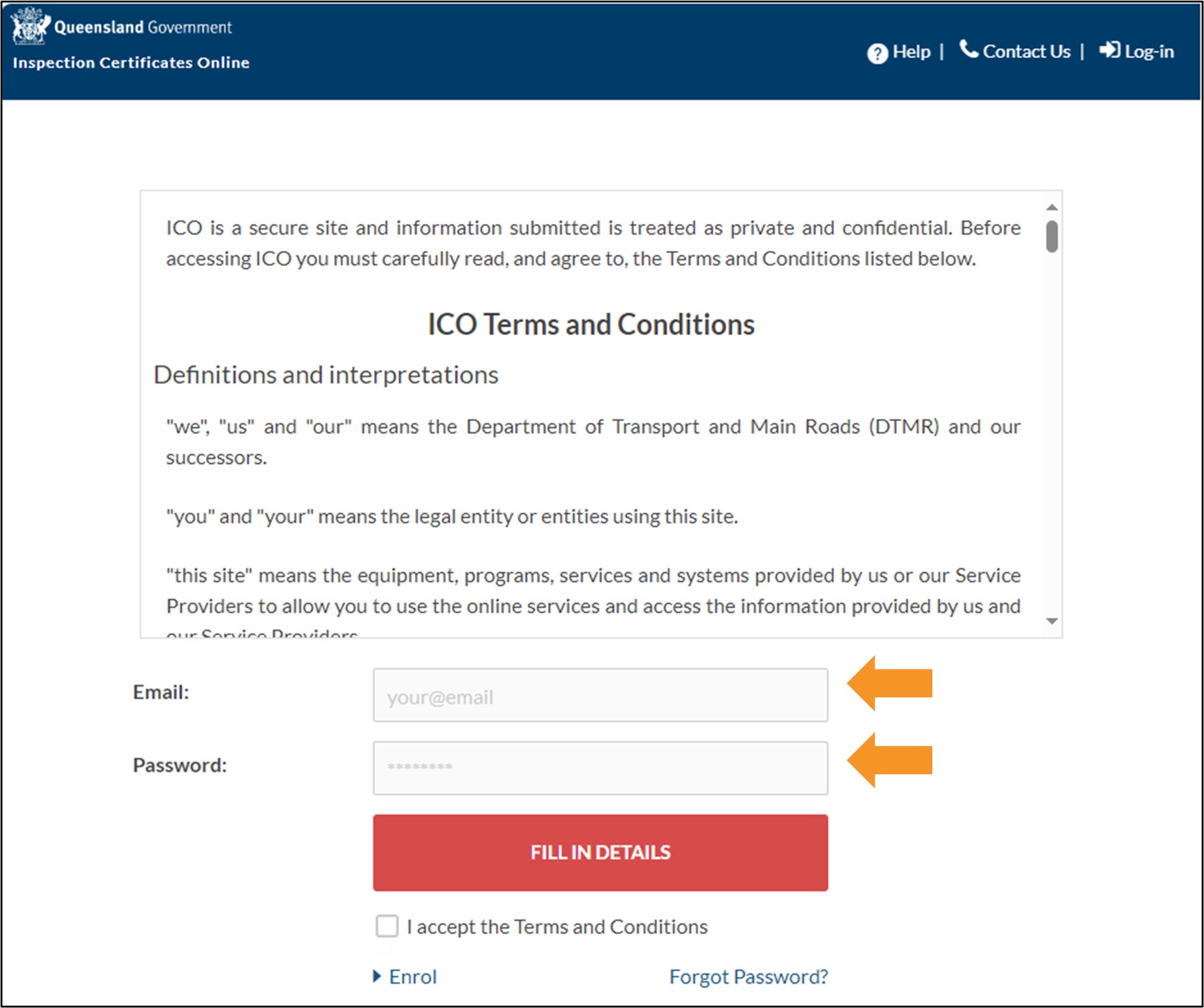
- Log in to ICO with your email and password.
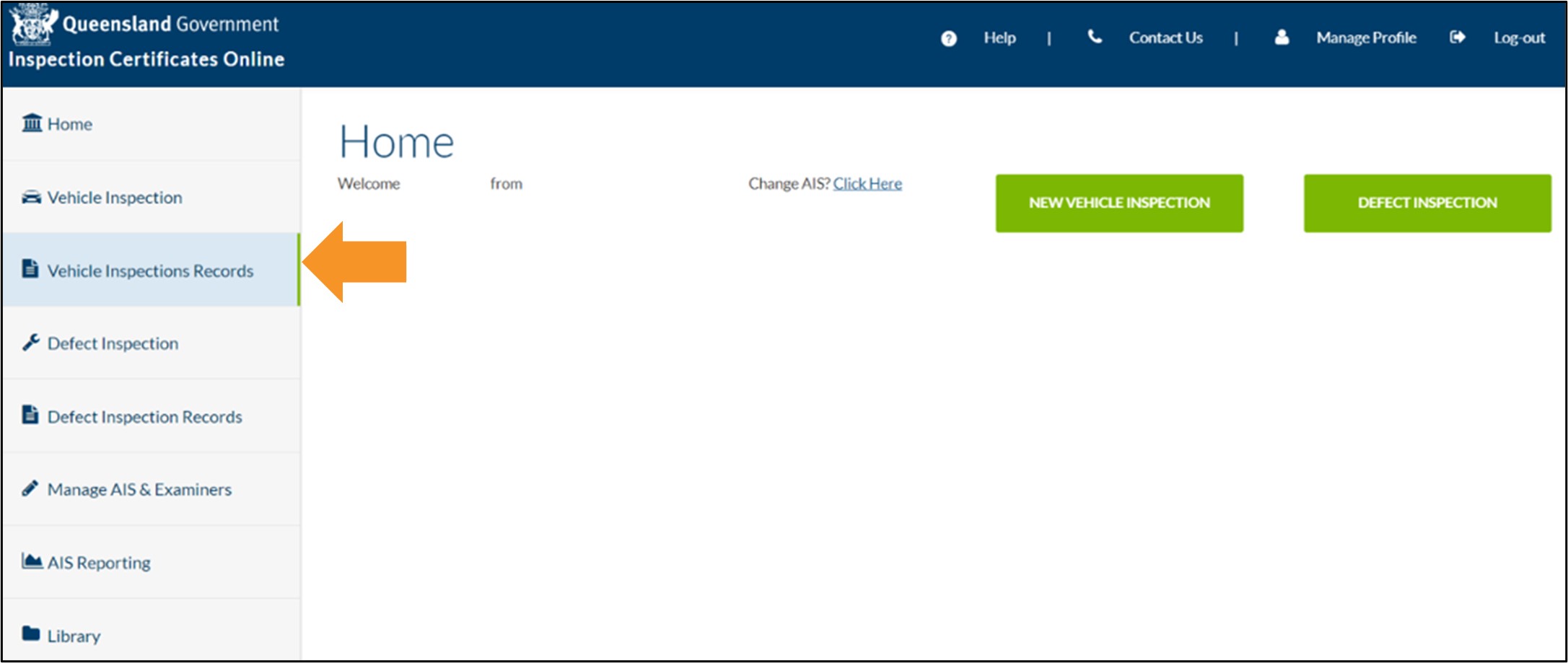
- Click Vehicle Inspections Records from the main menu of the Home screen.
- You can search your inspection records using any of the information in the Vehicle Inspection Records screen, including inspection number, plate number, inspection date, approved examiner and status.
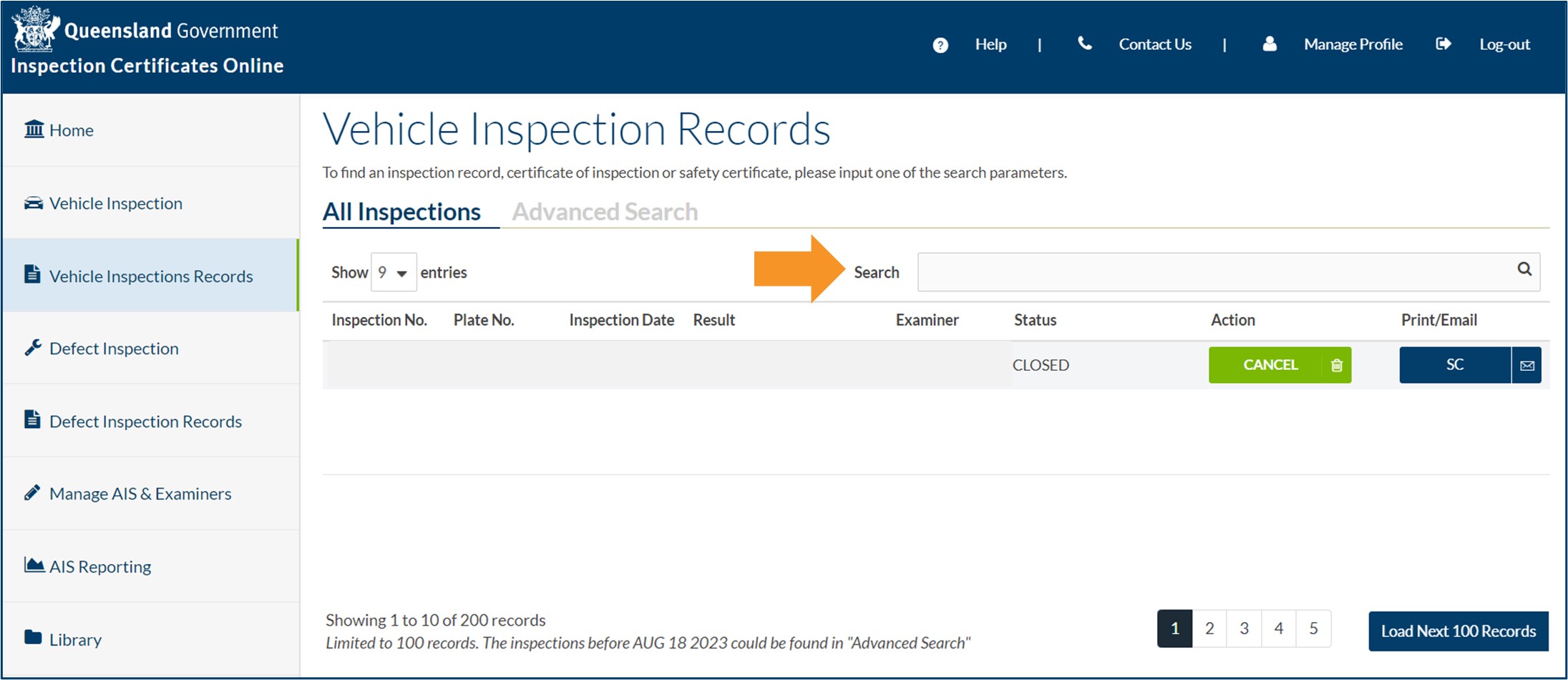
- When searching for an inspection certificate, you must enter the inspection certificate number in the correct format of 2 capital letters, dash, 8 numbers, dash and 1 number or an 'X' (e.g., LV-10000000-3)
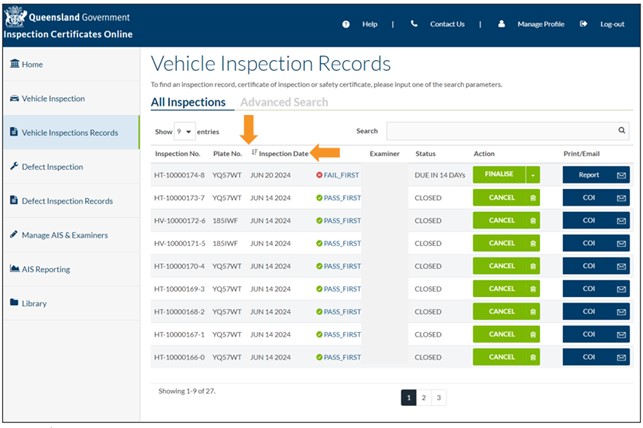
- You can sort the vehicle inspection record columns by clicking on the column headings and using the arrows to change the sort order.
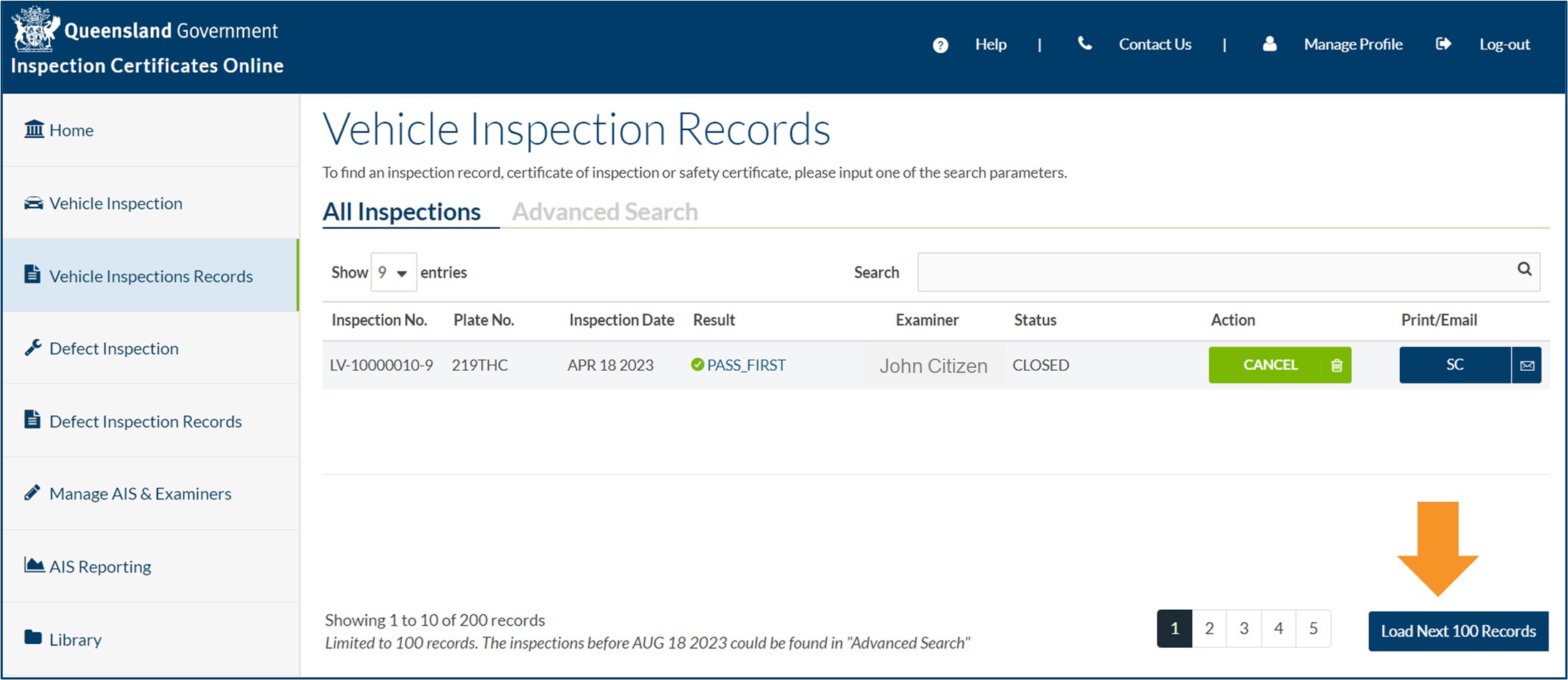
- Only 100 inspection records are displayed at a time. Click Load Next 100 Records to access previous inspection records.
- You can also search the AIS inspection records in the Advanced Search tab by using:
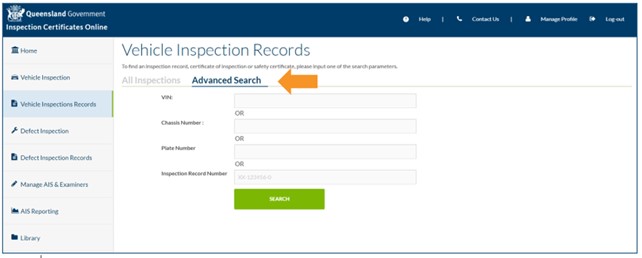
- Vehicle Identification Number (VIN)
- chassis number
- plate number
- Inspection Record Number.
Allocate to a different approved examiner
An approved examiner can allocate a re-inspection to a different approved examiner. This option should only be used if the approved examiner who did the original inspection is not available to do the re-inspection.
- Click the dropdown box beside the FINALISE button.
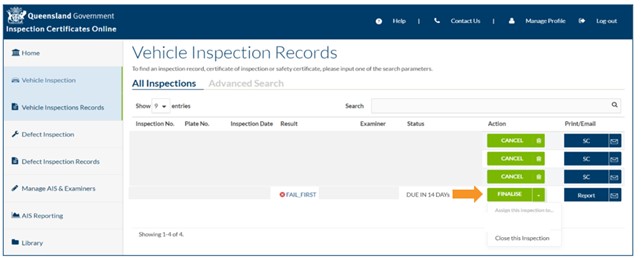
- Select the relevant approved examiner's name. The inspection will be allocated to this approved examiner for completion of the reinspection.
Cancel a closed inspection record
To cancel a closed inspection record, please read incorrect inspection certificates and reports.
Reprint or email
- To reprint an inspection certificate or inspection report, click COI/SC/Report.
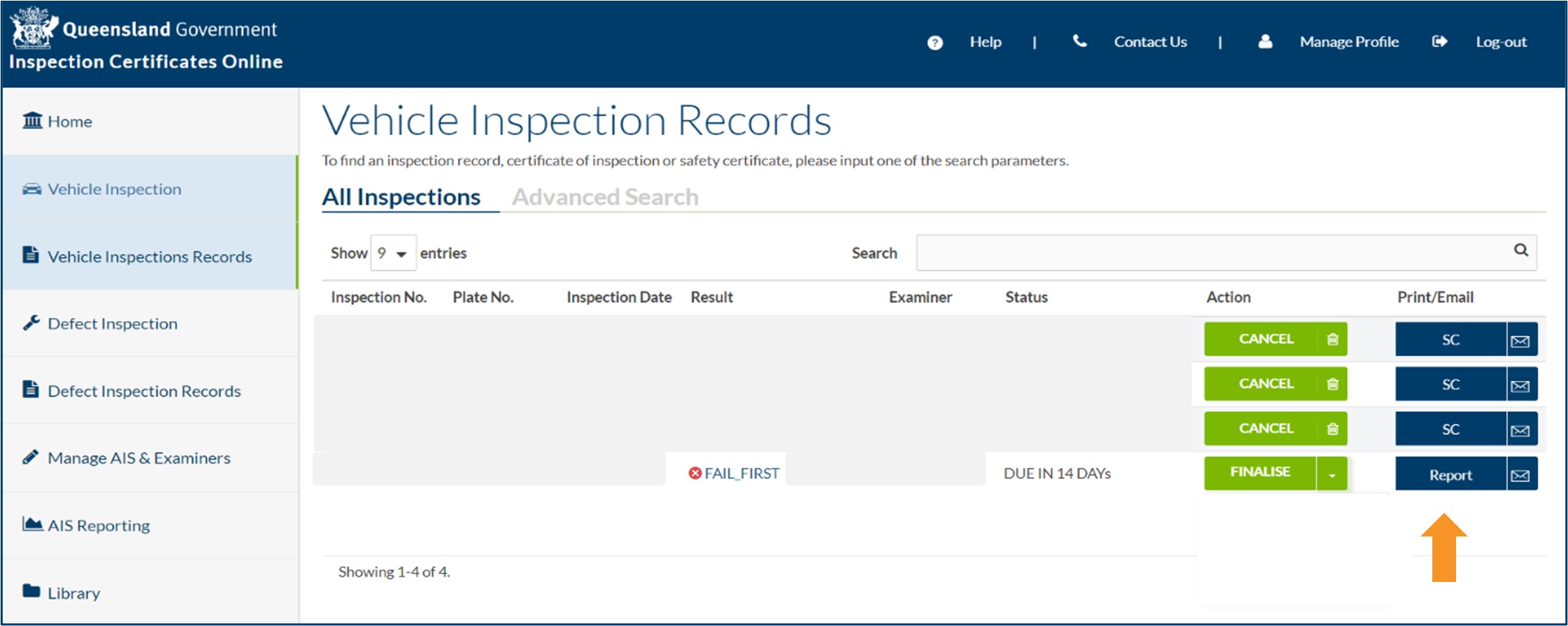
- To email a replacement inspection certificate/report, click on the envelope button. If you are sending it to a different email address, remove the unwanted email addresses and enter the new email address. Then click SEND.

- Last updated
- 23 August 2024
Contact us
If you experience any issues, contact the help desk between 8:30am and 4:30pm, Monday to Friday.
| Email: | [email protected] |
|---|---|
| Phone: | 07 3066 2482 |
| Post: |
ICO Administrator Department of Transport and Main Roads PO Box 673 FORTITUDE VALLEY QLD 4006 |